
In an effort to help your property shop smarter, RE-OPS will highlight Savings and Potential Savings within eligible orders.
Definitions:
- Savings: When the purchase price is less than the average supplier price, for any product (Purchase Price < Avg Supplier Price).
- Potential Savings: When the purchase price is higher than the best price (Purchase Price > Best Price).
- Avg. Supplier Price: The average of all supplier pricing for a product.
Note: Out-of stock suppliers are not included when finding the average supplier price.
Now let's review how Savings and Potential Savings will appear in an order.
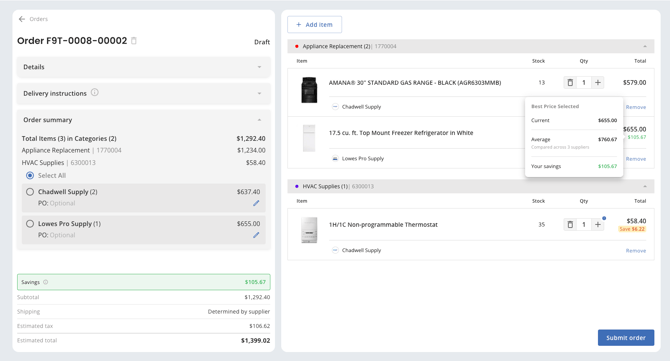
Savings will be displayed in green. In the example below, the property is saving $105.67 on the white refrigerator/freezer unit. When hovering that amount, we'll show you how your current price compares to the average supplier price.
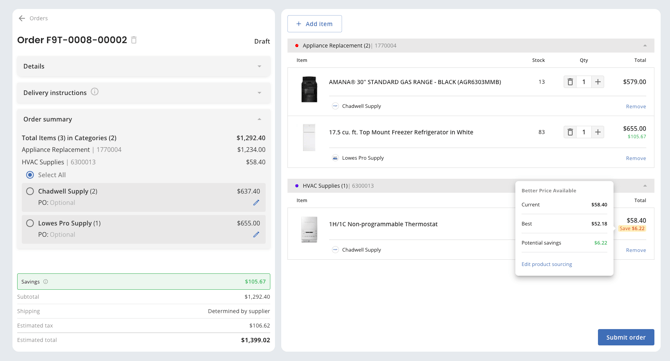
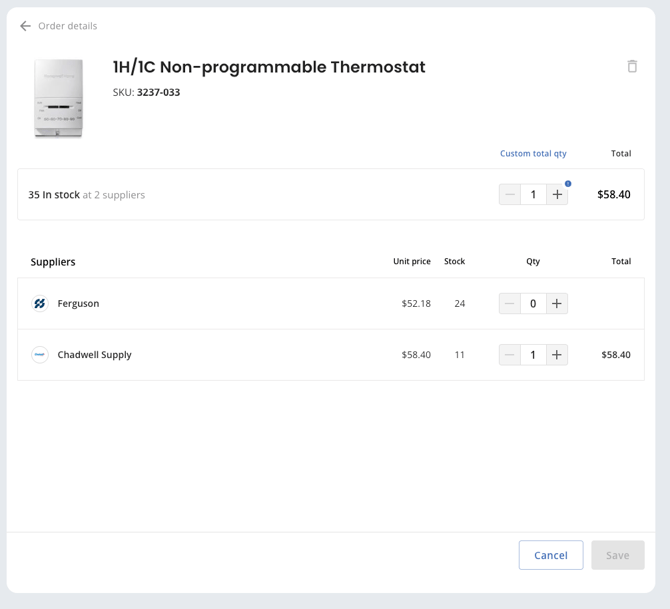
Potential Savings will be displayed in yellow. In the example below, the property could be saving $6.22 more, as the best price is not selected. To review supplier pricing for this item, users can click the 'Edit Product Sourcing' link, or anywhere on the item (screenshot lower).
In this example, changing the supplier from Chadwell to Ferguson will save $6.22 on this order.
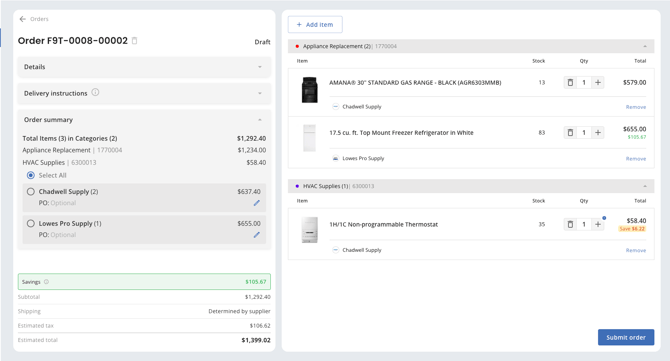
Lastly, the total savings for the order is located in the green box just above the Subtotal.
Note: Savings / Potential Savings will only be displayed on items when multiple supplier prices are received. If the product is only offered by a single supplier, then the item will not display Savings or Potential Savings.